
Support and frequently asked questions
Find answers to common WristMaze support questions below, grouped by topic, or contact support at the bottom of the page if you still need a hand.
What you need
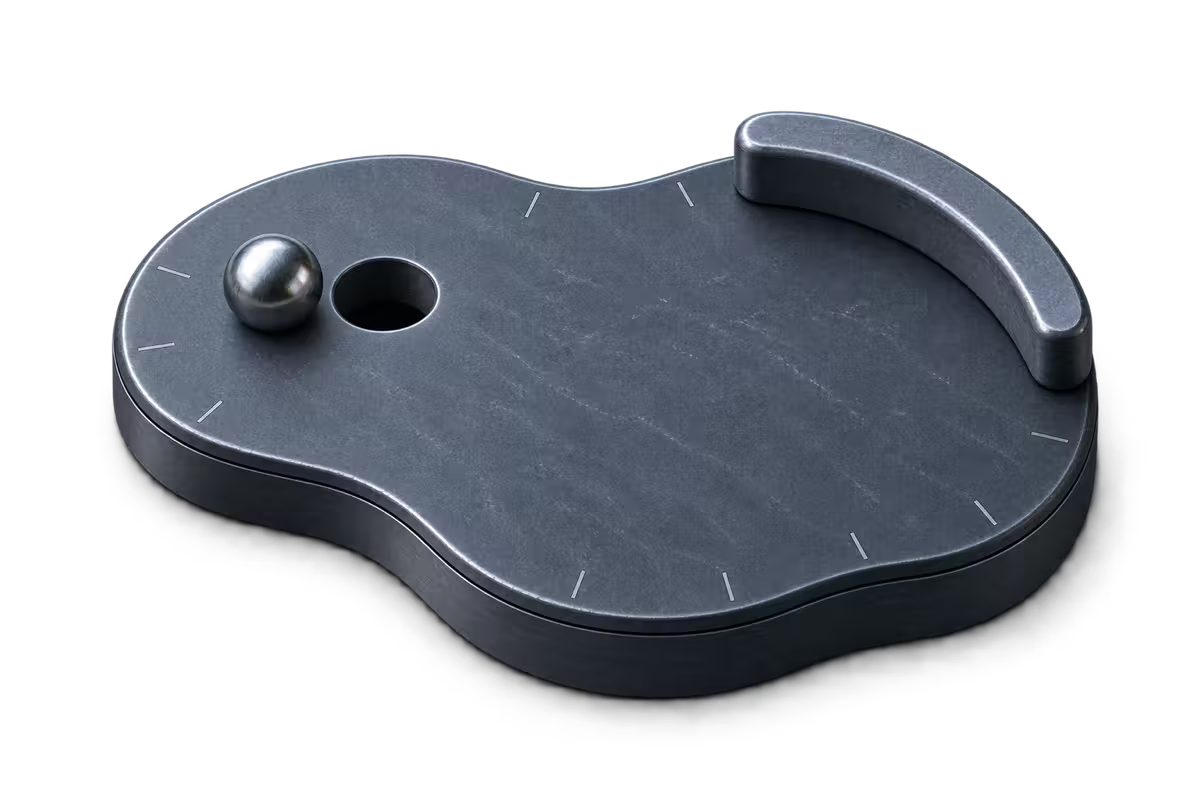
You need an Apple Watch to play WristMaze. It is an Apple Watch app with no iPhone app, and you play it directly on the watch. Downloading from the App Store, buying or restoring the full version and using Game Center require a connection.
Requires watchOS 26 or later.
Tilt and pauses
The ball rolls the wrong way when I tilt.
Open Settings from the main menu or the pause menu and turn on Flip tilt. That reverses the tilt direction if the ball rolls the wrong way for your wrist.

The ball drifts while I hold my wrist still.
Hold your wrist comfortably and double-tap the screen, or open the pause menu and tap Recalibrate, to set your current hold as flat. The ball can drift if your holding angle has shifted since the start of the run.

Why did the game pause when I lowered my wrist?
WristMaze pauses on purpose whenever you lower your wrist or a notification arrives, so the ball cannot roll into a hole while you are not looking. Your ball is held in place with its motion preserved. Tap Resume to see a brief live tilt arrow, and play continues.
Does zooming out to plan count against my time?
No. When you turn the Digital Crown to zoom out and plan, both the ball and the clock wait. The clock counts only active play and stops during planning, falls, menus and pauses.
What happens when the ball falls into a hole or off a plank?
Your run keeps its elapsed time and gains one attempt. Without a checkpoint, you go back to the start. After a checkpoint (full version), choose Back to checkpoint (a small time penalty set per level), Back to start (no penalty) or, while the level’s marble is still to earn, Restart level for a fresh try. See falls and checkpoints.
Can I see more of the board while I play?
Yes. Open Settings › Play zoom and choose Close, Medium or Far to change how close the camera follows the ball during play. At any moment in a run, you can also turn the Crown to zoom out up to the whole board while the clock waits.
Can I turn off the wrist vibrations?
Yes. Open Settings › Haptics and switch haptics off to stop wrist vibrations for rolling, wall hits, falls and finishes.
Free levels and purchases
Which levels are free, and what does the full version unlock?
Levels 1–3, three 10-hole boards in Birch, are free for good along with their leaderboards. Levels marked with a lock require the full version, a one-time purchase that unlocks all remaining levels in any order, checkpoints after every 10th hole and all 5 chapter looks.
I bought the full version, but the levels are still locked.
Make sure your Apple Watch is signed in to the same Apple Account you used to buy the full version, with an active connection, then tap Restore purchase in Settings or on the full-version screen. If you purchased with Ask to Buy, the levels unlock once the purchase is approved.

How do I request a refund?
Refunds for App Store purchases go through Apple at reportaproblem.apple.com. If Apple refunds the full version, the paid levels lock again, while any marbles you already earned stay in your collection.
Marbles and leaderboards
How do I unlock new marbles?
You earn a level’s marble by finishing that level without a fall (from start to goal with no fall and no return to a checkpoint). All 6 of a chapter’s marbles earn its jewel, and all 30 levels’ marbles earn Obsidian. Switch between earned marbles any time in Settings › Look › Marble.
Can I buy marbles?
No. Marbles are never sold; each level’s marble is earned by finishing it without a fall and stays yours for good. You can earn 3 marbles on free levels 1–3, and the full version unlocks the other levels, checkpoints and looks so you can earn their marbles through play.
Why isn’t my time showing on the leaderboard?
Seeing and posting times on a level’s leaderboard requires signing in to Game Center and having an active connection. Check Settings › Game Center in WristMaze to confirm your status. If a finish could not be sent when you completed the run, the game sends it automatically after your next finish.
Accessibility and your data
Can I play WristMaze with VoiceOver?
Steering the ball requires sight. VoiceOver reads every menu, choice, purchase, result and setting. It also announces what happens during a run. Menus grow with Dynamic Type up to the largest accessibility sizes. The game follows Bold Text, Reduce Motion, Reduce Transparency, Increase Contrast and Button Shapes. Nothing depends on colour alone.
What does WristMaze do with my data?
Your progress and settings stay on your Apple Watch. Times you post go to Game Center. Purchases use the App Store. Both services are run by Apple. The app contains no ads, no tracking and no analytics. Read the privacy policy for the full account of app and website data.
Contact support
Email us at support@crawle.io. Tell us which Apple Watch model you have and what happened.
WristMaze is developed by Crawle AB, Jaktgatan 8, 115 45 Stockholm, Sweden.
More guides and policies: How to play, Playing tips, Marbles you earn, Privacy policy, Terms of use and Cookie policy.